The teams have been set, Lesly, Veronica and I have been eager to start developing out workspace app. We definitely seem to be on the same page so far, we have agreed on the structure and style of the UI. I have been working on the wireframe mockups, Veronica has been outlining the structure and style, Lesly has been focused on getting the backend aligned.
The first wireframe I designed was the bulletin board front page. My intention is this is the first zone that comes up when you login. You will have access to today’s important information and overview of important changes and announcements.
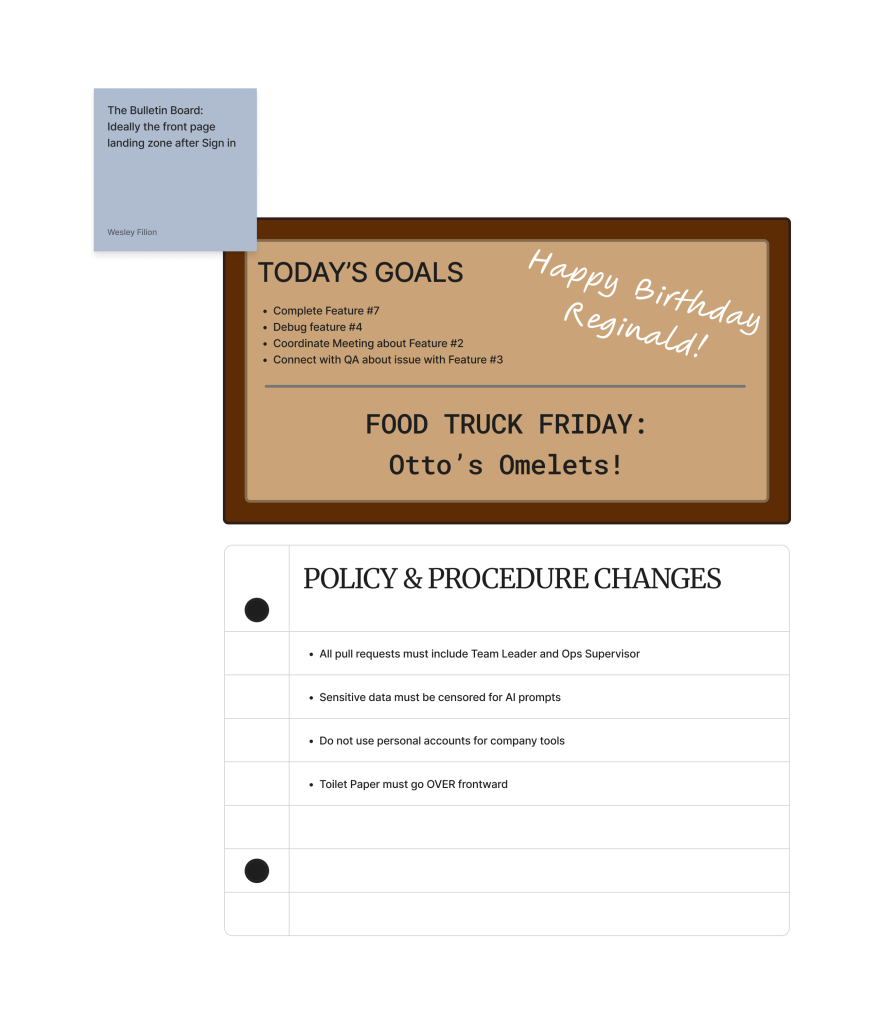
The vision is to make communication efficient by putting it right in the user’s face. No having to worry about missed emails or coming in later and missing a meeting.
The next wireframe I focused on is the resources zone.
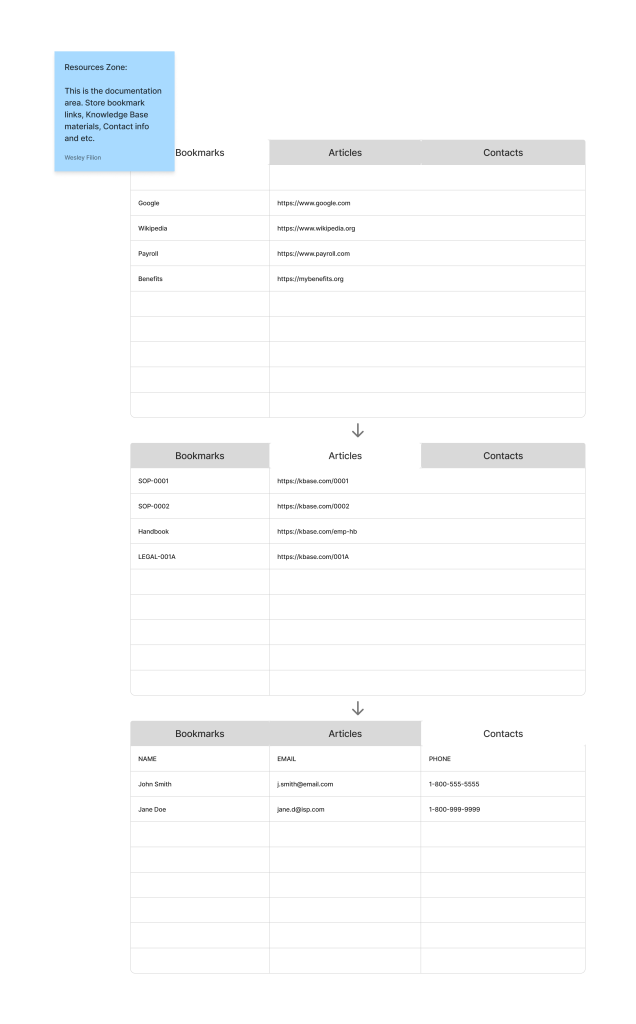
This zone is more personal. While supervisors can include information overhead to lend a helping hand, mostly this is for the user to store information that can be accessed from any device they use to login. This is helpful for anyone in a multiple computer environment, has had to replace their computer or maybe keeps two computers for home office and company office. If we were to take this app beyond this degree program, this could also open way for exporting contacts as .csv files, exporting articles as PDF files and etc.
Next I worked on a workspace zone. It’s a very rough draft because I didn’t receive UI input on it at the time, so I worked on a very basic design of a workspace based on a standard IDE.
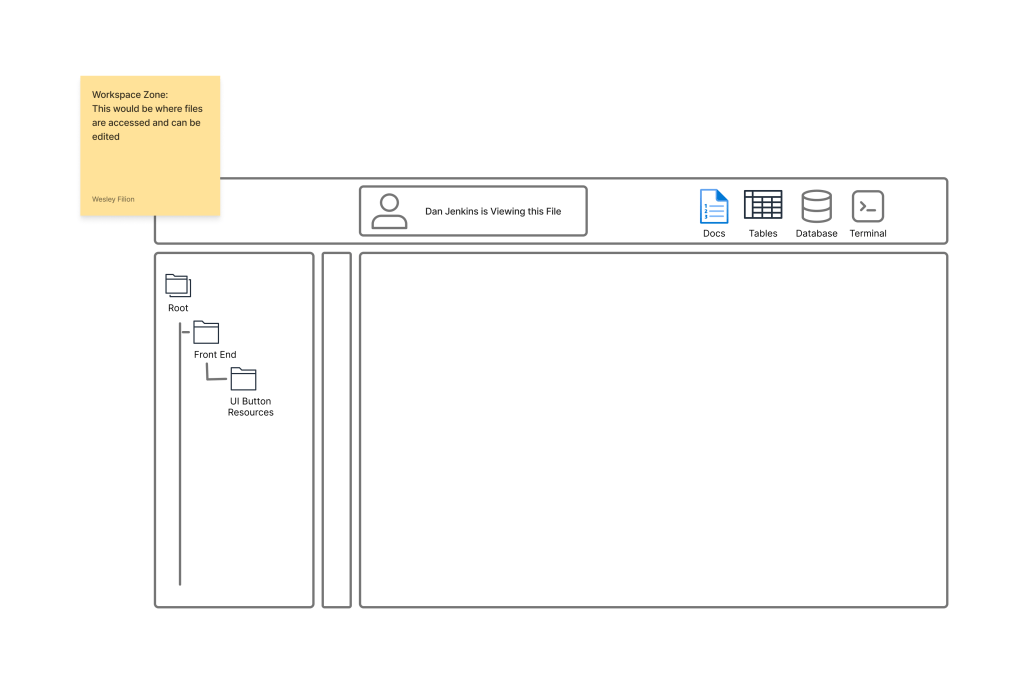
You can see with the file archive on the left and the workspace for the file on the right. You could potentially use it for coding like Github, but frankly this is just for Office files so Excel, Word and etc. The vision does include database management but that probably would not come to fruition unless, again, this goes beyond the degree program.
Lastly I designed an Interactive Calendar for event planning.
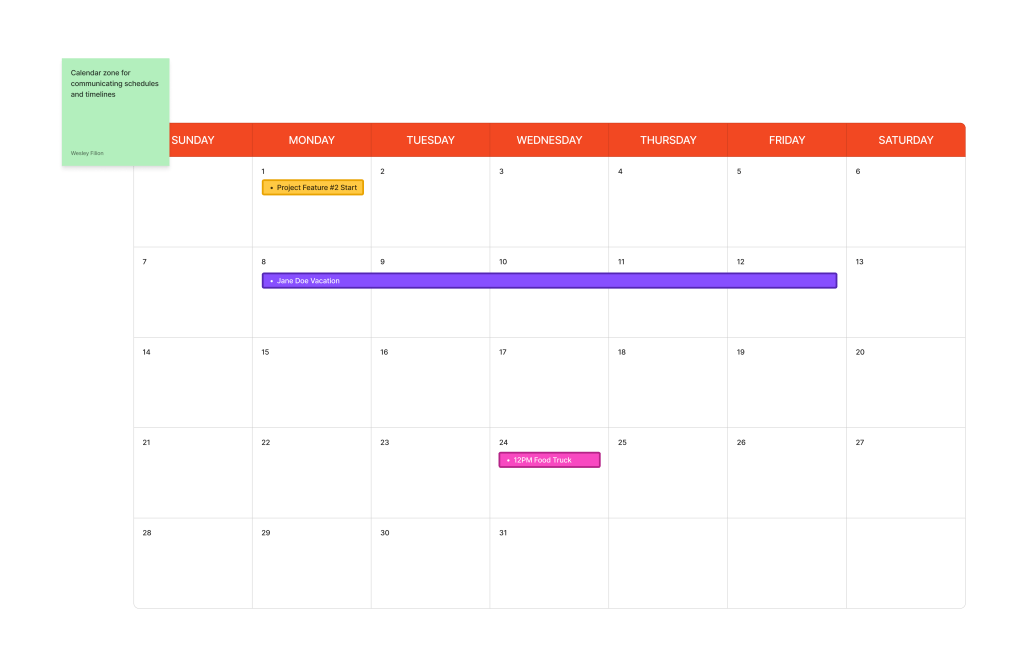
Now this may seem redundant since standalone email clients have a calendar feature with event planning, but this could eliminate the need for unnecessary groups or reduce the need of email client features. Especially if you access this app via a mobile web browser, you can access the calendar and you dont have to connect your email address to the phone itself. The vision really originated from PTO/absence communication. I experienced a situation at a job where three supervisors scheduled PTO for the same period and the Operations manager was overworked and didnt keep track well which caused a difficult situation for the entire staff. That inspired me to design this feature to help both supervisor and team.
I also started up a prototype using FigmaMake so we can visualize changes and use as a visual reference.
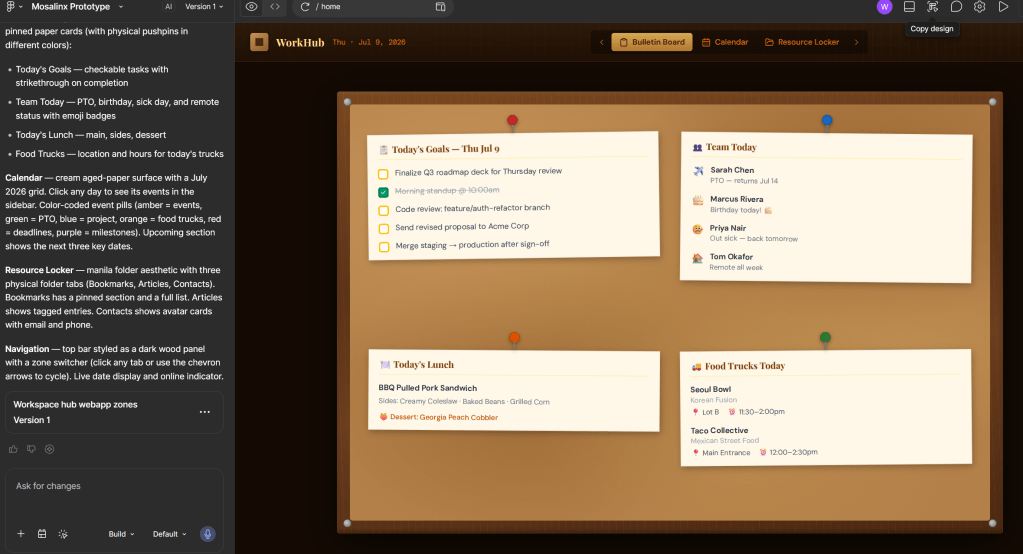
This is not to write code for us, since as it’s A.I. we just prompt and it designs. We will still be designing on our own, this is more to help visualize ideas and maybe get a proof of concept.
P.S. I love my beautiful wife.

